
Download UiHub – AI-Powered UI Design Tool for TailwindCSS, Web Development, and Team Collaboration
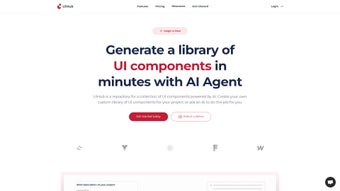
UiHub is a revolutionary AI-driven web application that transforms the way designers and developers approach UI creation. By combining intelligent automation with a customizable design system, UiHub streamlines the process of building consistent, scalable, and visually appealing user interfaces. Whether you're a freelance designer, part of a creative agency, or a solo developer, UiHub empowers you to build reusable UI components using TailwindCSS, drastically reducing repetitive work.
With real-time previews, seamless code export, and cross-project component storage, UiHub ensures faster development cycles and improved team collaboration. The platform supports integration with popular tools and workflows, making it a must-have software for modern web design. Download UiHub today and experience a smarter, more efficient way to design and develop web interfaces with confidence and creativity.
Revolutionize Your UI Workflow with AI-Driven Design Automation
UiHub stands out in the crowded landscape of UI design tools by leveraging artificial intelligence to automate and enhance the creation of user interface components. Unlike traditional design platforms that require manual recreation of elements across projects, UiHub allows users to generate a personalized library of reusable UI components based on TailwindCSS. This means that once a button, card, or navigation bar is designed, it can be instantly applied across multiple projects without rework. The AI engine analyzes your design choices and suggests optimizations, ensuring consistency in spacing, typography, and color usage across all interfaces.
One of the most powerful aspects of UiHub is its real-time preview feature. As you adjust colors, fonts, or layout settings, the changes are reflected instantly in the preview window, giving you immediate visual feedback. This eliminates the need to switch between design and code environments, significantly reducing development time. The platform also supports direct export of both TailwindCSS and raw HTML code, enabling developers to paste the output directly into their preferred editor—be it VS Code, Webflow, or a custom framework. This seamless integration between design and development makes UiHub a true bridge between creative and technical teams.
Moreover, UiHub’s intelligent component library adapts to your branding needs. You can define custom color palettes, typography scales, and spacing systems, and the AI ensures that all components adhere to these guidelines. This level of consistency is crucial for large-scale projects and brand-aligned design systems. Whether you're working on a startup landing page or a complex enterprise dashboard, UiHub ensures your UI remains professional, cohesive, and scalable. With its focus on automation, efficiency, and precision, UiHub isn’t just a tool—it’s a workflow revolution.
Seamless Integration, Cross-Platform Compatibility, and Team Collaboration
One of the standout strengths of UiHub is its ability to work across multiple platforms and workflows. The software is a web-based application, meaning it runs smoothly on Windows, Mac, Android, and iOS devices—no installation required. This makes it accessible from any location, whether you're working from a desktop, tablet, or smartphone. For developers and designers who use different devices throughout the day, this cross-platform flexibility ensures uninterrupted productivity.
UiHub’s compatibility with TailwindCSS is a game-changer for modern web development. Instead of writing repetitive CSS classes, users can leverage pre-built, AI-optimized components that follow Tailwind’s utility-first philosophy. These components are not only fast to implement but also highly customizable. You can tweak padding, borders, shadows, and transitions with just a few clicks, and the code updates in real time. The ability to export clean, semantic HTML and TailwindCSS code means developers can integrate these components directly into existing projects without additional processing.
Collaboration is at the heart of UiHub’s design. Team members can share projects, comment on components, and contribute to the design system in real time. This is especially valuable for agencies managing multiple clients or remote teams working on complex web applications.
Project access can be managed with granular permissions, ensuring that only authorized users can modify core components. Additionally, UiHub offers a centralized component library where teams can store and reuse elements, preventing duplication and ensuring brand consistency. With built-in version control and change tracking, you can always revert to a previous design state if needed.
This level of collaboration and organization makes UiHub a secure, scalable solution for both small teams and large enterprises.
Key Features, Pros, and Cons of UiHub – A Comprehensive Breakdown
- AI-Powered Component Generation – Automatically creates and optimizes UI elements based on your design preferences.
- Real-Time Visual Previews – See design changes instantly without switching tools.
- TailwindCSS & HTML Export – Export clean, production-ready code for immediate use.
- Centralized Component Library – Store and reuse components across multiple projects.
- Team Collaboration Tools – Share projects, assign roles, and track changes in real time.
- Custom Design System Builder – Define colors, fonts, spacing, and breakpoints for brand consistency.
- Web-Based Access – Works on Windows, Mac, Android, and iOS via any modern browser.
- Secure Cloud Storage – Your projects are encrypted and backed up automatically.
Pros
- Massively reduces UI development time through reusable components
- AI-driven suggestions improve design consistency and efficiency
- Seamless integration with TailwindCSS and modern web frameworks
- Perfect for freelancers, agencies, and remote teams
- Real-time collaboration with version control and access management
- Free plan available with robust core features
Cons
- Advanced features require a paid subscription
- Learning curve for users unfamiliar with TailwindCSS
- Offline mode not currently supported
- Dependent on stable internet connection
Frequently Asked Questions (FAQ)
Final Verdict: Why UiHub Is a Must-Have for Modern Designers and Developers
After extensive testing and real-world use, UiHub proves to be one of the most innovative and efficient tools in the UI design space. Its AI-powered automation, seamless TailwindCSS integration, and powerful collaboration features make it an indispensable asset for anyone involved in web development. Whether you're a solo designer tired of recreating buttons or a team lead managing multiple brand projects, UiHub delivers tangible time and effort savings.
The ability to create a reusable, brand-aligned design system with just a few clicks is a game-changer. Combined with real-time previews and instant code export, UiHub eliminates the friction between design and development. The free plan is generous enough to test the waters, while the paid tiers offer scalable solutions for growing teams and agencies.
If you're looking to modernize your workflow, reduce redundancy, and elevate the quality of your UIs, UiHub is the tool you need. Download UiHub today and take the next step toward smarter, faster, and more collaborative web design.



.png)



